generic Last reviewed 2026-08-18

NVMe SSD controller driver

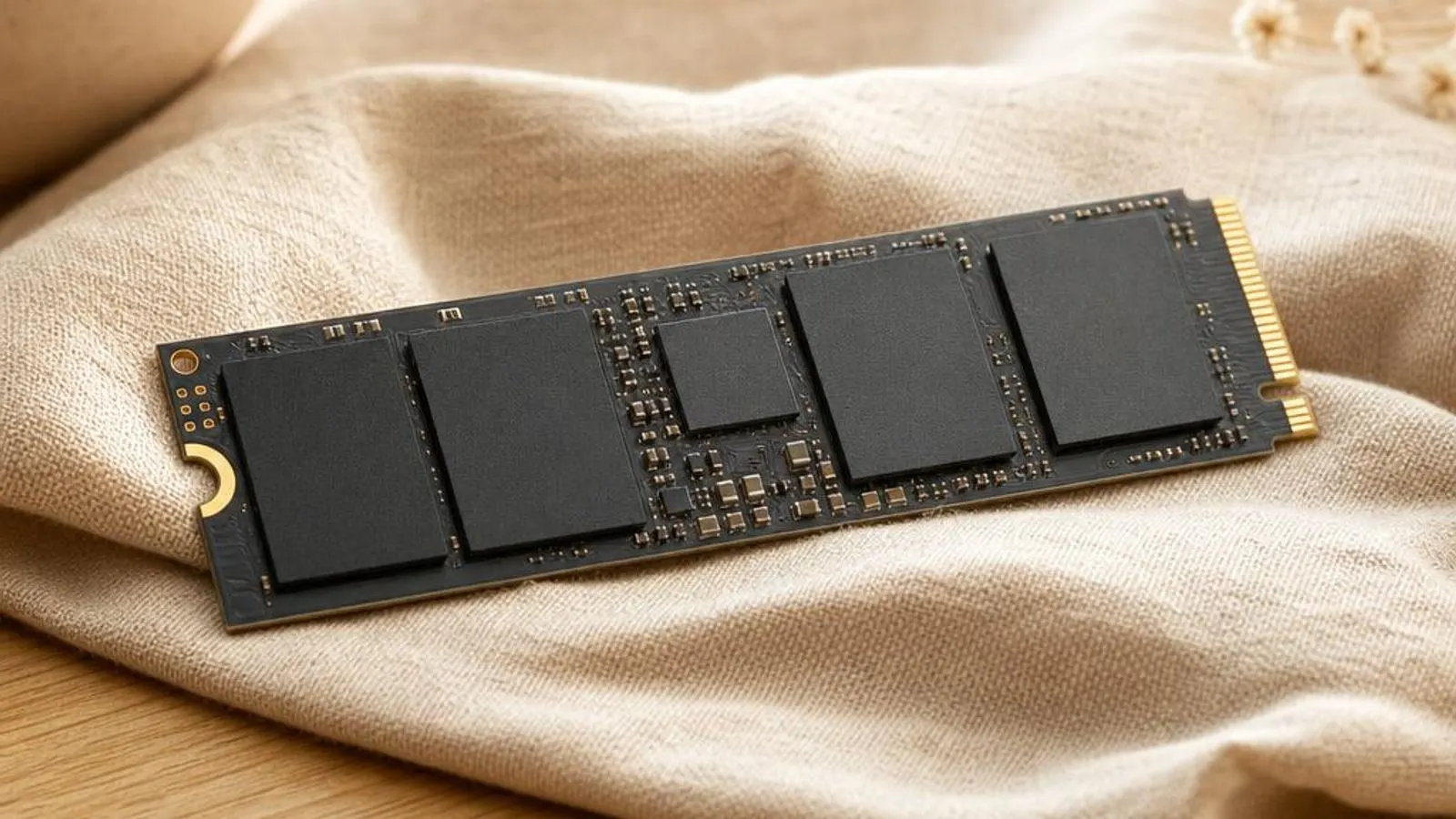
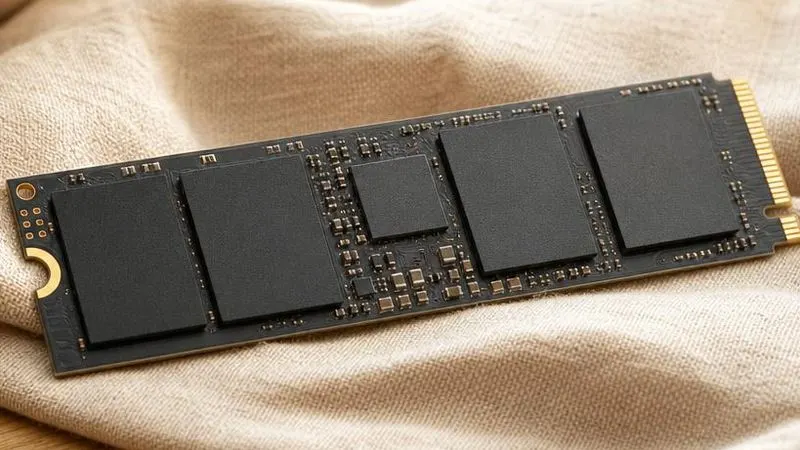
M.2 2280 NVMe SSD held at an angle shown with NAND packages and controller visible, gold edge fingers

The NVMe driver drives PCIe solid-state storage through parallel submission and completion queues, handling the protocol, Host Memory Buffer, and power states your SSD depends on.

Driver Information

Hardware Familysystem storage
Categorynvme
OSwin11, win10

In Short

  • An NVMe drive is a PCIe device that talks the NVM Express command set over many parallel submission and completion queues, not the single-queue AHCI path SATA used. The driver, Microsoft's in-box stornvme.sys or a vendor replacement, manages those queues, negotiates the Host Memory Buffer that DRAM-less drives borrow from system RAM, and controls the APST power states that idle the SSD. Most trouble comes from aggressive power states, HMB misconfiguration, or thermal throttling rather than the driver itself.

What this driver does

NVM Express, NVMe, was designed for flash from the start, unlike AHCI which was built for spinning disks. Its defining feature is deep parallelism: the driver and controller share up to 65,535 command queues, each up to 65,535 entries deep, so thousands of I/O requests can be in flight at once. The NVMe driver builds these submission and completion queue pairs in memory, rings a doorbell register to tell the controller work is waiting, and processes completions via interrupts, usually MSI-X vectors spread across CPU cores. That queue model is why NVMe crushes SATA on random I/O. A SATA SSD on AHCI has one queue thirty-two commands deep; an NVMe drive can keep every flash channel busy by fanning requests across many queues. The driver's job is to map operating-system I/O onto those queues efficiently, balance interrupts across cores, and translate logical block addresses into the commands the controller understands. The driver also manages memory arrangements the drive relies on. A drive with its own DRAM cache keeps its flash-translation-layer mapping table on board. A DRAM-less drive instead uses the Host Memory Buffer, borrowing a slice of system RAM over PCIe to hold part of that table; the driver allocates and reports the HMB region during initialisation. Get HMB wrong and a budget drive's random performance collapses. Finally the driver governs power and thermal behaviour. Autonomous Power State Transition, APST, lets the drive drop into low-power states between requests, and the controller reports temperature and can throttle to protect the flash. The driver exposes these states to Windows power policy. Overly aggressive APST is a classic cause of a drive that momentarily disappears or throws errors as it fails to wake cleanly from its deepest idle state.

Cutaway view of nvme ssd controller driver with major components labelled

Why updating matters

The choice of NVMe driver, and its version, changes real behaviour. Microsoft's in-box stornvme.sys is stable and standards-compliant, but a vendor driver from the SSD maker can add features the generic path lacks: better queue tuning, drive-specific power-state handling, and management hooks its dashboard uses for firmware and health. Where a drive has known quirks, the vendor driver often carries the workaround. More consequential than the driver is the SSD's own firmware, and this is where updating pays off. Firmware bugs have caused drives to disappear under sustained load, report a WHEA uncorrectable error, or mishandle a specific HMB size; the fixes ship as firmware updates for the exact drive model. Some notorious data-loss and premature-wear issues on particular drives were purely firmware faults that no driver change could address. Power-state and compatibility fixes matter too. APST timing that works on a desktop can be too aggressive for a laptop's deeper platform idle, causing drop-outs; corrected firmware or an updated driver relaxes the transition. Newer NVMe revisions add features such as improved thermal reporting and zoned namespaces that only current software understands. The driver comes either in-box through Windows Update or as a vendor package, while firmware comes from your drive maker's support page for the exact model, usually applied through the maker's dashboard utility. Match firmware to the precise model and, on laptops, watch APST behaviour closely after any change.

NVMe SSD controller driver connected wirelessly and physically to typical peripherals in its ecosystem

Signs a driver may be failing

  • The NVMe drive momentarily disappears from Windows under sustained writes, then reappears, sometimes with a WHEA error logged
  • Disk active time sits at 100 percent with poor responsiveness while transfer rates stay low
  • Sequential speeds fall off a cliff after tens of gigabytes as the SLC write cache fills and the drive throttles
  • A DRAM-less drive shows weak random performance because the Host Memory Buffer was not allocated correctly
  • The system stutters or the drive drops out on a laptop as an aggressive APST state fails to wake cleanly
  • The drive is missing from Windows setup because the platform is in RAID/VMD mode without the matching driver loaded

How it fits into the OS stack

Drivers operate in the background, serving as translators. Here is where the NVMe SSD controller driver sits between your apps and the hardware.

Diagram showing how a nvme ssd controller driver driver sits between the application layer and the hardware

Distribution comparison

Vendor Comparison
ProviderFeatures & Stability
Microsoft in-box driver (stornvme.sys)Windows includes a compliant NVMe driver that works with any standards-based drive out of the box, including at install time. It is stable and needs no maintenance, but it exposes no drive-specific tuning, no health telemetry, and none of the management hooks a vendor dashboard uses for firmware updates.
SSD maker driver (Samsung, WD, Crucial, Kingston)The drive maker's NVMe driver and dashboard add health monitoring, firmware updating, and per-model power and queue tuning. This is worth installing when a drive has known quirks or you want SMART and firmware management, at the cost of an extra background utility and a driver tied to that brand.
Platform RAID/VMD driver (Intel RST/VMD, AMD RAID)When the chipset presents NVMe drives behind Intel VMD or a RAID controller, a matching storage driver must be loaded, often during Windows setup, or the drives are invisible. It enables RAID and VMD features but adds a dependency, since switching VMD on or off later can leave Windows unbootable without the right driver.

Before you start

1Open Device Manager by right-clicking the Start button.
2Expand the relevant device category for your hardware.
3Right-click the specific component to open Properties.
4Check the current driver version in the Driver tab.
"Only install drivers from your operating system's update tool or the manufacturer's official support page."

Where this driver comes from

Drivers for NVMe SSD controller driver typically reach your PC through one of three routes: shipped natively with the Windows operating system, delivered dynamically through system updates, or published directly by the hardware manufacturer for your specific model.

To ensure system stability, always allow your OS to handle baseline generic drivers. If you are experiencing performance issues or require advanced control panels, identify the exact model of your hardware and consult the device manufacturer's dedicated support resources.

Fixing installation problems

1

Confirm the drive is enumerating correctly

Open Device Manager, expand Disk drives and Storage controllers, and confirm the NVMe drive and its controller appear without a yellow triangle. Cross-check in Disk Management that the volume is present, so you know whether the fault is enumeration, power state, or the file system.

2

Update the drive firmware

Run the SSD maker's dashboard for your exact model and apply any listed firmware update, then reboot. Many drop-out, WHEA, and HMB faults are firmware bugs, so this resolves more real problems than any driver reinstall on the storage stack.

3

Relax aggressive APST on laptops

If a laptop drive stutters or vanishes at idle, ease the deepest power state: in Windows advanced power settings, raise the NVMe idle timeout or disable the most aggressive APST tier via the maker's tool, so the controller does not enter a state it wakes from poorly.

4

Address thermal throttling

If sequential speed collapses after sustained writes, check the controller temperature in the dashboard. Fit or reseat the M.2 heatsink and improve airflow so the drive does not throttle to protect the flash once the SLC cache is exhausted.

5

Resolve a missing drive in setup

If Windows setup cannot see the drive, the platform is likely in Intel VMD or RAID mode. Load the matching storage driver at the 'Where do you want to install' screen, or switch the controller to AHCI in UEFI before installing, keeping the choice consistent afterward.

How to uninstall or rollback

1Click the Driver tab in the properties window.
2Select "Roll Back Driver" to revert to the previous version.
3If greyed out, use "Uninstall Device" instead.
1

Step 1

If a vendor NVMe driver introduced instability, open Device Manager and select the drive's storage controller
2

Step 2

On the Driver tab choose Roll Back Driver, or uninstall the vendor driver so Windows reloads the in-box stornvme.sys
3

Step 3

Reboot and confirm the drive still enumerates and the boot volume mounts under the standard driver
4

Step 4

If a firmware update caused the fault, apply the earlier firmware for the exact model only if the maker permits downgrading
5

Step 5

Restore any APST or power settings you changed and verify the drive no longer drops out

Safety Warning

Do not switch the storage controller between AHCI and Intel VMD/RAID mode on an installed system without preparing the matching driver first; the boot volume can become invisible and leave Windows unbootable until the mode is restored.

Common error codes

Why NVMe replaced AHCI: queues and doorbells

AHCI, the protocol SATA drives use, was designed around one hardware queue thirty-two commands deep, which suited mechanical disks that could only service one request at a time. NVMe discards that assumption. It defines up to 65,535 queues, each up to 65,535 entries deep, and pairs each submission queue with a completion queue so requests and results flow independently. The driver drives this with doorbell registers and interrupts. It places commands in a submission queue, writes the queue's doorbell register to notify the controller, and the controller posts results to the completion queue and raises an MSI-X interrupt. Spreading those interrupt vectors across CPU cores lets many I/O operations complete in parallel, which is exactly why NVMe transforms random-access performance rather than just raising peak sequential numbers over SATA.

DRAM versus DRAM-less and the Host Memory Buffer

Every SSD maintains a flash translation layer, a mapping from logical block addresses to the constantly moving physical locations of data in NAND. A drive with onboard DRAM stores this map in its own fast memory, so lookups are quick. A DRAM-less drive omits that chip to cut cost and instead uses the Host Memory Buffer, a region of system RAM the driver lends it over PCIe to cache part of the map. The driver negotiates the HMB size during initialisation and reports the region to the controller. When this works, a DRAM-less drive performs respectably for everyday use. When the HMB is too small, mismatched, or a firmware bug mishandles it, the drive must read mapping data from slow flash for cache misses, and random performance drops sharply. This is why HMB behaviour, driven by firmware and the driver together, matters so much on budget drives.

Power states, APST, and drives that vanish

NVMe defines several operational and non-operational power states, and Autonomous Power State Transition lets the controller move between them on its own after a period of idle without waiting for the host. On a desktop this simply saves a little power. On a laptop, where the whole platform reaches deep idle, the interaction becomes fragile: the drive may enter its lowest state and then wake slowly or fail to respond promptly. The visible result is a drive that stutters, drops out briefly, or logs a controller error at idle. The driver exposes the idle timeouts to Windows power policy, so the fix is to relax the deepest transition, either by raising the NVMe idle timeout in advanced power settings or through firmware that tunes APST for the platform. Recognising this as a power-state problem, not a failing drive, saves needless replacements.

SLC caching, thermals, and sustained performance

Consumer NVMe drives store multiple bits per flash cell, which is dense but slow to write. To hide that, they reserve a portion of the NAND as a fast single-bit SLC cache and absorb incoming writes there, flushing to the slower native mode in the background. Short bursts land entirely in the cache and hit the drive's headline speeds. Sustained writes tell a harsher story. Copy tens of gigabytes and the SLC cache fills, so writes fall to native speed, which can be a fraction of the peak. Simultaneously the controller heats up, and if it approaches its thermal limit it throttles deliberately to protect the flash and its own logic. A collapsing transfer rate on a big copy is therefore usually cache exhaustion plus thermal management, addressed with an M.2 heatsink and airflow, and it should not be mistaken for a driver or hardware fault.

Where this driver comes from

The NVMe stack reaches your PC by three routes. The first is shipped with the operating system: Windows includes stornvme.sys, a compliant in-box NVMe driver present at install time, so any standards-based drive is bootable and usable immediately with no separate package. The exception is a platform in Intel VMD or RAID mode, where the drives sit behind a controller the installer does not know, and a matching driver must be supplied during setup. The second route is delivered through system updates: Windows Update maintains the in-box driver and can offer vendor NVMe drivers matched by hardware ID, keeping the storage stack current without user effort. The third route is published by the hardware maker for a specific model: SSD vendors provide a driver, a dashboard, and, most importantly, firmware for a precise drive model on that model's support page, which this site describes in words rather than links. Firmware is the decisive part of this route, because the drop-out, HMB, and wear bugs that plague particular drives are firmware faults fixed only there. So the pattern is: driver from Windows for most needs, vendor package for telemetry and quirks, and firmware from the maker for the exact model.

Reading NVMe error codes and health data

In Device Manager the NVMe controller and disk report standard codes. Code 10 on the storage controller often means it failed to start after a mode change, such as switching to VMD without the driver present; restoring the mode or loading the driver clears it. Code 45 indicates the device is not currently connected, which for an M.2 drive points to a reseat, a dead slot, or a controller that dropped off the PCIe bus rather than a driver problem. Beyond Device Manager, the drive's SMART data is the real diagnostic. The vendor dashboard or a tool like CrystalDiskInfo exposes wear levelling count, available spare, media errors, and, crucially, the WHEA-triggering uncorrectable error counters and the composite temperature. Reading these tells you whether a symptom is thermal throttling, cache exhaustion, an APST wake fault, or a genuinely failing drive, and directs you to firmware, cooling, or replacement accordingly.

Frequently asked questions

Reviewer:
Last Reviewed:

Related Drivers