generic Last reviewed 2026-08-18

Graphics driver

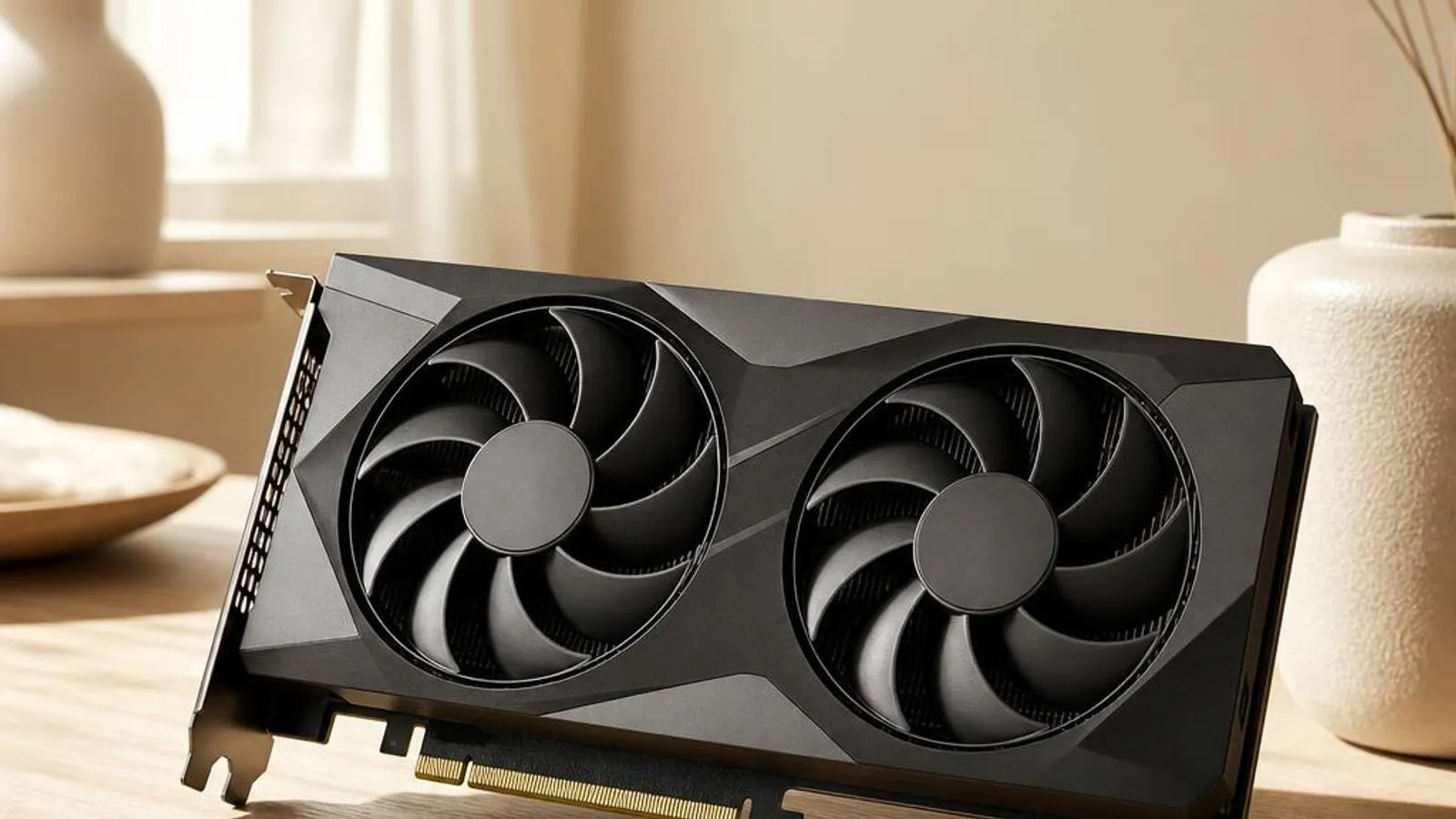
dual-fan graphics card, three-quarter view shown with PCIe edge connector, backplate, 8-pin power socket

The graphics driver is the software layer that lets Windows and its applications speak to your GPU. This reference explains WDDM, TDR recovery, the Code 43 GPU fault, and how to update safely through Windows Update or your PC maker's support page for your exact model.

Driver Information

Hardware Familyaudio display
Categorygraphics
OSwin11, win10

In Short

  • The graphics driver translates high-level drawing calls from Windows and games into the low-level commands your GPU silicon actually executes. It manages video memory, schedules the command queue, compiles shaders, and drives the display timings that appear on your monitor. When it misbehaves you get black screens, TDR resets, or a Code 43 fault; a clean update or a rollback in Device Manager usually restores a stable picture.

What this driver does

A graphics driver sits between the Windows Display Driver Model, known as WDDM, and the physical graphics processor on your board. When an application asks Direct3D or Vulkan to draw a triangle, that request travels down through the user-mode driver, is packaged into a command buffer, and is then submitted to the kernel-mode driver that talks to the GPU hardware directly. The driver decides where textures live in video memory, how the command queue is prioritised, and when the finished frame is scanned out to the panel. Modern GPUs contain several distinct engines: shader cores for general programmable work, dedicated units for ray tracing acceleration, video decode and encode blocks, and a display controller that generates the pixel timings for HDMI and DisplayPort outputs. The graphics driver exposes each of these to Windows through a shared abstraction, so a browser compositing a page and a game rendering at 4K both funnel their work through the same scheduler without stepping on each other. Video memory management is one of the driver's heaviest responsibilities. On a discrete card the driver juggles dedicated VRAM against shared system memory, paging surfaces in and out as the working set grows; on integrated graphics it carves a slice of main RAM into an aperture the GPU can address. Poor residency decisions here are what users feel as stutter, texture pop-in, or the hitching that appears when a scene exceeds the memory budget. The driver also enforces the Timeout Detection and Recovery mechanism, or TDR. If the GPU stops responding to a submitted packet for roughly two seconds, Windows assumes the device has hung, resets the graphics stack, and logs the event as a display driver stopped responding and has recovered message. A healthy driver recovers transparently; a faulty one loops through repeated TDR resets that manifest as flickering, freezes, or a black screen mid-session.

Cutaway view of graphics driver with major components labelled

Why updating matters

Graphics drivers change more often than almost any other component in a PC because game engines, creative applications, and the GPU vendors themselves ship optimisations on a monthly cadence. A driver that shipped with your machine two years ago may lack the shader compiler fixes a new title expects, producing corrupted geometry or crashes that a current build resolves. Keeping the driver current is the single most effective step for both performance and visual correctness. Security is the second reason. The kernel-mode portion of a graphics driver runs at high privilege, so a parsing bug in how it handles a malformed shader or command buffer can become a route for privilege escalation. Vendors patch these flaws quietly inside routine driver releases, which is why an out-of-date graphics stack is a genuine attack surface rather than merely a performance concern. Stability regressions cut both ways, however. A brand-new release occasionally introduces a fault on a specific card and panel combination, which is exactly why Windows keeps the previous package available for rollback. The sensible posture is to update when you have a reason, verify the display behaves across your usual workloads, and roll back promptly if a new build brings black screens or TDR resets that the old one did not. For most people the safest source is Windows Update, which serves WHQL-certified graphics packages matched to your hardware identifiers. If you need a newer build for a freshly released game, the support page for your exact PC or graphics card model is the appropriate place to look; this site never hosts driver files and never links to vendor download pages.

Graphics driver connected wirelessly and physically to typical peripherals in its ecosystem

Signs a driver may be failing

  • Windows logs a 'display driver stopped responding and has recovered' TDR event, then the screen flickers to black for a second before returning
  • Device Manager shows the GPU with a yellow exclamation mark and reports Code 43 after a Windows or driver update
  • Textures pop in late or the frame rate hitches whenever a 3D scene exceeds the available video memory budget
  • Ray-traced reflections render as noise or the game crashes to desktop the moment the effect is enabled
  • An external monitor on the DisplayPort output is not detected until the graphics driver is reinstalled
  • Screen tearing appears across the panel because the driver's frame pacing is out of step with the display refresh

How it fits into the OS stack

Drivers operate in the background, serving as translators. Here is where the Graphics driver sits between your apps and the hardware.

Diagram showing how a graphics driver driver sits between the application layer and the hardware

Distribution comparison

Vendor Comparison
ProviderFeatures & Stability
NVIDIAGeForce and RTX cards ship a unified driver that bundles the Direct3D and Vulkan runtimes with a dedicated ray tracing and DLSS upscaling layer. NVIDIA splits releases into Game Ready branches tuned for launch-day titles and Studio branches validated for creative applications, letting you trade fresh optimisation against longer stability testing.
AMDRadeon cards use the Adrenalin driver package, which pairs the display stack with FidelityFX upscaling and a per-application tuning panel. AMD tends to expose more manual control over fan curves and clocks, and its driver reports TDR recovery through the same WDDM interface Windows expects.
IntelIntel Arc discrete cards and the integrated Iris and UHD graphics share the Arc Control driver family. Intel has invested heavily in DirectX 12 and Vulkan translation for older titles, and its integrated parts carve their video memory aperture straight from system RAM rather than using dedicated VRAM.

Before you start

1Open Device Manager by right-clicking the Start button.
2Expand the relevant device category for your hardware.
3Right-click the specific component to open Properties.
4Check the current driver version in the Driver tab.
"Only install drivers from your operating system's update tool or the manufacturer's official support page."

Where this driver comes from

Drivers for Graphics driver typically reach your PC through one of three routes: shipped natively with the Windows operating system, delivered dynamically through system updates, or published directly by the hardware manufacturer for your specific model.

To ensure system stability, always allow your OS to handle baseline generic drivers. If you are experiencing performance issues or require advanced control panels, identify the exact model of your hardware and consult the device manufacturer's dedicated support resources.

Fixing installation problems

1

Confirm the fault in Device Manager

Open Device Manager, expand Display adapters, and check the GPU entry. A yellow triangle with Code 43 means Windows has stopped the device after a fault; right-click it and choose Properties to read the exact status text before changing anything.

2

Reinstall the current graphics package

Right-click the display adapter, choose Uninstall device, and tick the box to remove the driver software. Reboot; Windows reloads a basic display driver and then pulls a matched graphics package from Windows Update, which clears most corrupted-install faults.

3

Boot into Safe Mode if the screen is unusable

If repeated TDR resets or a black screen block normal use, hold Shift while selecting Restart, then choose Safe Mode. Windows loads only the Microsoft Basic Display Adapter, giving you a stable picture in which to uninstall the failed graphics driver.

4

Adjust or clear the TDR delay for diagnosis

Persistent 'stopped responding and has recovered' events point at a hang rather than a crash. Test with a lighter workload and a cooler GPU; if resets vanish under light load, the fault is thermal or power related rather than a pure driver defect.

5

Let Windows Update supply a certified build

In Settings, open Windows Update and check for updates, then look under Advanced options and Optional updates for a driver listed against your GPU. Certified packages here are matched to your hardware identifiers and are the safest recovery path.

How to uninstall or rollback

1Click the Driver tab in the properties window.
2Select "Roll Back Driver" to revert to the previous version.
3If greyed out, use "Uninstall Device" instead.
1

Step 1

Open Device Manager, expand Display adapters, and double-click your GPU to open its Properties window
2

Step 2

Switch to the Driver tab and read the current driver date and version so you can confirm the change afterwards
3

Step 3

Click Roll Back Driver; if the button is greyed out, Windows kept no previous package and you must reinstall an earlier build manually
4

Step 4

Choose a reason when prompted, then let Windows swap the graphics package and restart the display stack
5

Step 5

Reboot and re-test the workload that failed, watching for a return of TDR resets or the Code 43 fault

Safety Warning

Do not force a laptop to shut down during a graphics driver install, and never install a desktop card package on a switchable-graphics notebook; a mismatched or half-written driver can leave you with a black screen that only Safe Mode can recover.

Common error codes

How the WDDM graphics stack is layered

The Windows Display Driver Model splits a graphics driver into two cooperating halves. The user-mode driver runs inside each application's process, translating Direct3D, OpenGL, or Vulkan calls into an intermediate command stream and compiling shaders into the GPU's native instruction set. The kernel-mode driver runs in the operating system core, owns the physical device, and is the only component allowed to submit work to the hardware and manage its memory. Between them sits the graphics kernel scheduler. It arranges command buffers from every running process into queues, decides which engine, whether shader, copy, video, or display, executes next, and enforces isolation so one misbehaving program cannot corrupt another's surfaces. Hardware-accelerated GPU scheduling on Windows 11 pushes more of this queue management onto the GPU itself, reducing the latency of each submission. This two-tier design is why a crash in one application rarely takes down the whole desktop. When the user-mode driver faults, only that process dies; the kernel-mode driver keeps the display alive. It is also why the kernel-mode half is patched so carefully in every release, because a defect there runs at full privilege and can halt the entire machine rather than a single window.

Timeout Detection and Recovery in practice

TDR is the safety net that stops a hung GPU from freezing Windows permanently. The operating system tracks how long each submitted packet takes to complete; if the graphics processor fails to signal completion within the timeout window, roughly two seconds by default, Windows declares the device hung. It then preempts the running work, resets the graphics stack, and restarts the driver, surfacing the familiar 'stopped responding and has recovered' notification. From the user's chair a single recovery looks like a brief flicker to black and back. The trouble begins when recoveries chain together. An unstable memory overclock, a power supply that sags under load, dust-clogged cooling, or a genuine driver defect can each make the GPU miss its deadline repeatedly, and the resulting reset loop reads as flickering, stuttering, or a session-ending freeze. Diagnosis follows a simple logic. Reproduce the fault, then remove variables: run at stock clocks, improve airflow, and try a lighter workload. If resets stop when the card runs cooler or slower, the driver was reporting a hardware condition rather than causing it. If they persist at stock under light load, a clean reinstall or a rollback to the last stable build is the correct next move.

Video memory, shaders, and the render pipeline

Every frame your GPU draws is the product of a pipeline the driver orchestrates. Vertex data is transformed, geometry is rasterised into fragments, and programmable shader cores colour each pixel, sampling textures that must already be resident in video memory. On cards with ray tracing units, a separate stage traces rays against a scene structure to compute reflections and shadows before the result is composited into the final image. The driver's memory manager decides which of these surfaces live in fast dedicated VRAM and which spill to slower shared system memory. When a scene's working set exceeds the VRAM budget, the driver pages textures in and out across the PCI Express bus, and that traffic is exactly what players feel as texture pop-in or a periodic hitch. Integrated graphics avoid dedicated VRAM entirely, carving an aperture out of system RAM, which is why their performance is so sensitive to memory bandwidth. Shader compilation is the other hidden cost. The user-mode driver compiles each shader from its portable form into the specific card's instruction set, caching the result on disk. A stale or corrupted shader cache produces the strange geometry corruption and first-run stutter that a clean reinstall clears, because deleting the driver software wipes that cache and forces a fresh, correct recompile.

Reading GPU error codes in Device Manager

When Windows loses confidence in the graphics device it records a code against the display adapter, and the number narrows the cause. Code 43 is the one graphics users meet most: the GPU sent a fault report and Windows stopped the device, a state usually triggered by a corrupted install, a driver-branch mismatch, or failing hardware. Code 10 means the device could not start, often because the driver failed to initialise against the current WDDM level. Other codes appear when the problem is arrangement rather than the driver itself. Code 12 signals a resource conflict, where the adapter cannot obtain the memory ranges or interrupt lines it needs, common on systems with several add-in cards. Code 31 indicates Windows could not load the driver for the device at all, pointing at a missing or blocked package rather than a hardware fault. The practical workflow is the same across codes. Open the adapter's Properties, read the exact status string on the General tab, then act on that text: reinstall for a corrupted package, roll back for a bad new build, check power and cooling for a load-triggered Code 43, and free resources or reseat cards for a Code 12 conflict. The code tells you which of those levers to pull first.

Where this driver comes from

A graphics driver can reach your PC by three distinct routes, and knowing which one delivered yours changes how you maintain it. The first route is the driver that ships with Windows itself. Every fresh install includes the Microsoft Basic Display Adapter plus a set of inbox graphics drivers, so you always get a working picture at a safe resolution even before any vendor package is present. This inbox driver is deliberately conservative and lacks the full feature set of a vendor build. The second route is Windows Update. Once the machine is online, Windows matches your GPU's hardware identifiers against Microsoft's catalogue and offers a WHQL-certified vendor driver, sometimes automatically and sometimes under Optional updates. These packages have passed both vendor and Microsoft testing, which makes them the safest everyday source, at the cost of lagging the very newest game-launch releases. The third route is the hardware maker publishing a graphics driver for one specific GPU and PC model. Your laptop or desktop manufacturer, or the graphics card vendor, validates a package against one exact configuration and posts it on that model's support page. This is where the freshest builds and specialised branches live, and it is the right route when a new game demands a driver newer than Windows Update carries. This site describes these routes in words only; it hosts no driver files and links to no vendor download pages, so always identify your exact model and obtain any manual package from the maker's own support page.

Frequently asked questions

Reviewer:
Last Reviewed:

Related Drivers